This document will explain how to manage your Footnote subscription. Specifically, you will learn how to:
View your current subscription
Update your subscription to upgrade or downgrade your Footnote plan
Cancel your subscription
View or edit your payment information
View or edit your billing information
View your Footnote invoice history
Stripe manages all Footnote payments. All the above functions can be accessed on your Footnote > Stripe Dashboard. To access your Footnote > Stripe dashboard, log in to tryfootnote.com. When viewing your dashboard, you have two options, both located in the lower left-hand corner of the page:
Subscription widget
Your Account Page
Subscription Widget
Find your subscription widget. It should look something like this:
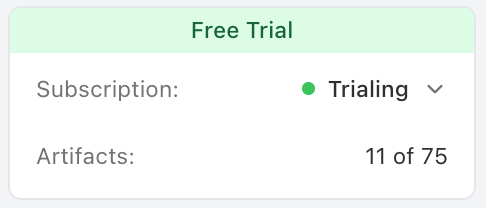
Click the downfacing carrot to expand the widget.
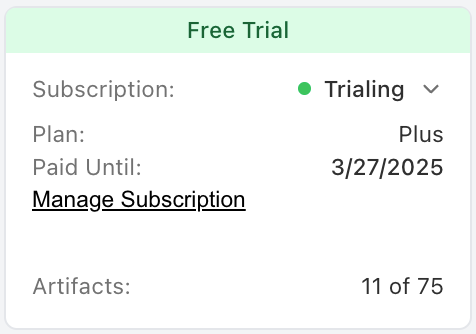
Select the underlined “Manage Subscription” button. This will take you to your Footnote > Stripe dashboard.
Your Account Page
Click on your email address in the lower lefthand corner of your Footnote dashboard to see your account page. Here you can:
Add a photo to your profile
Add a First and Last name to your profile
Change your tryfootnote.com password
Access your Footnote > Stripe Dashboard (click the “Manage Subscription” button on the right-hand side of the screen)
View the Footnote Terms of Service
View the Footnote Privacy Policy
To access your Footnote > Stripe Dashboard, click the “Manage Subscription” button on the right-hand side of the screen.
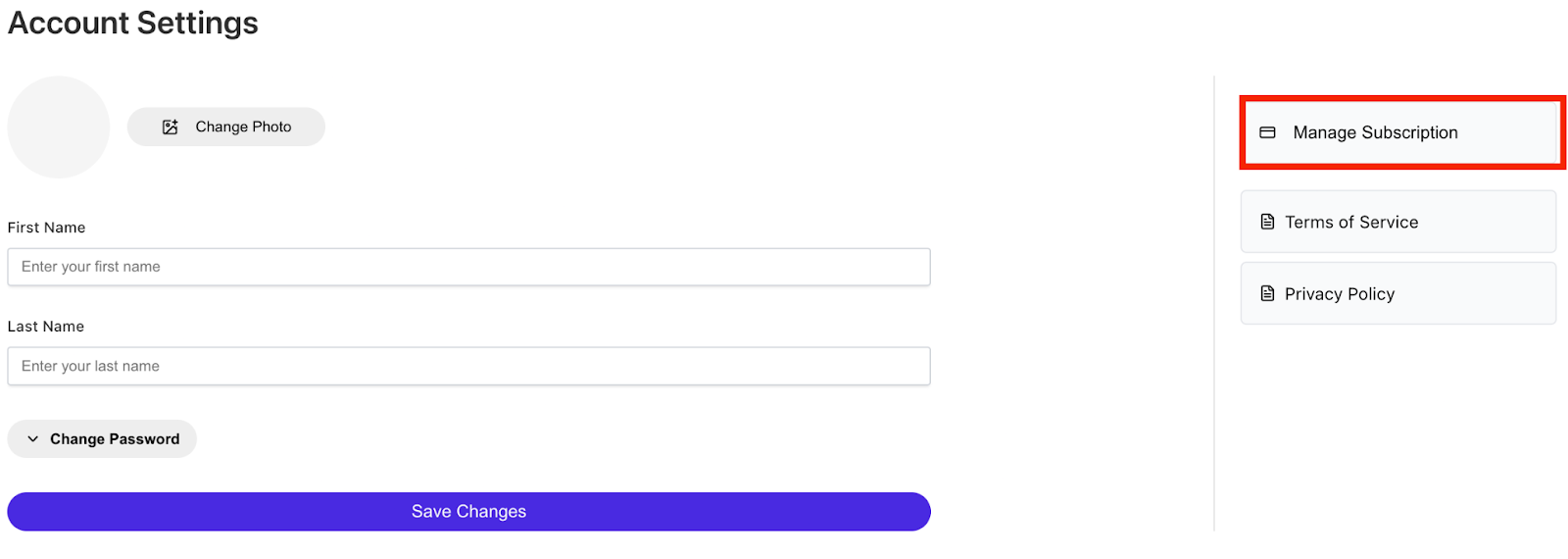
Footnote > Stripe Dashboard
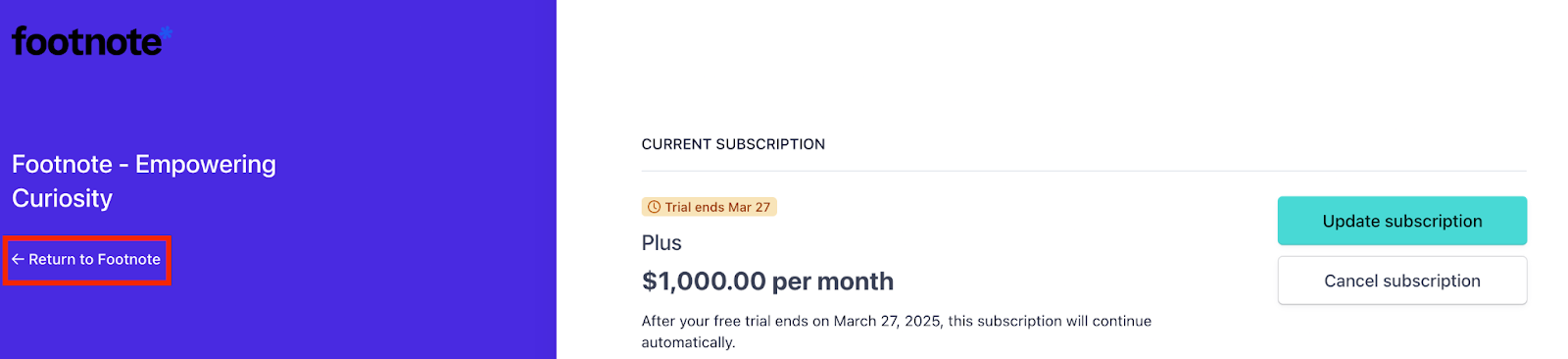
Once you are on your Footnote > Stripe Dashboard, you can:
View your current subscription
Update your subscription to upgrade or downgrade your Footnote plan
Cancel your subscription
View or edit your payment information
View or edit your billing information
View your Footnote invoice history
To return to your Footnote dashboard, please click the “Return to Footnote button.
Was this article helpful?
That’s Great!
Thank you for your feedback
Sorry! We couldn't be helpful
Thank you for your feedback
Feedback sent
We appreciate your effort and will try to fix the article